2026 · Visual
- Python
- Google Deep Dream
- RealTime
DeepDream Diffusion
DeepDream Diffusion is a TouchDesigner component that runs a DeepDream gradient ascent on a live video TOP. The picture is generated by a pretrained network (VGG16, VGG16 Experimental, or GoogLeNet), not by a spatial filter.
Leave this folder where you downloaded it. Drag DeepDreamDiffusion.tox from here
into each project. The Setup page tells you the next step.
Realtime
Offline
What you need
- TouchDesigner.
- An NVIDIA driver if you use CUDA. The installer does not install the driver. It installs a CUDA build of PyTorch next to this TOX.
Install once
The download does not include the Python libraries. TouchDesigner already includes the Python version the component needs. If that cannot be found, the installer downloads Python for you.
- Drag
DeepDreamDiffusion.toxfrom this folder into a network. Leave the file here. TouchDesigner keeps a link to it. - Select the component and open the Setup page. Status says what to do next.
- Pulse Install Environment. A window opens. The first run takes several minutes, mostly to download PyTorch. You do this once.
- When the window says the installation is complete, pulse Check
Dependencies. Status reports the PyTorch version and
CUDA=True. - Connect a Movie File In or Video Device In to the first input and turn Active on.
Drag the same file into any other project. The environment is already next to
the TOX, so the installer does not run again. Install.bat is the same
install if you want to run it before opening TouchDesigner.
Check Dependencies runs in venv_td, outside TouchDesigner.
The first time a model is used, torchvision downloads its ImageNet weights. That needs a network connection and can take a little while. Video passes through until the model is ready.
Do not copy the TOX out of this folder and do not move venv_td after it has
been created. A component saved inside the project loses the link, and Status
asks you to drag the file from here again.
Inside TouchDesigner
Video TOP ──> input 0 ──> DeepDreamDiffusion ──> picture
Mask TOP  ──> input 1  (optional)
                              CHOP out ──> cook and dream stats
The video input is resized to Process Width on the GPU, dreamed, then scaled back to the video resolution. The upscaled dream is sharpened by about one dream pixel, then its difference from a blur of the picture is scaled by Effect Contrast and added to the original video. The photo's fine detail stays, and the dream can read more clearly without a larger Process Width.
Flat near-black bars that touch the edge of the frame (letterbox or pillarbox) stay a copy of the source. Dark objects inside the picture are still dreamed.
The second input is an optional mask. White shows the dream, black keeps the original video, and values in between blend. Mask Channel chooses Alpha or Luminance RGB. The mask is resized to the video. Disconnecting it shows the dream on the whole frame again.
Changing the source movie, or its resolution, shows the dream on the new picture again. A size change does not leave the output on the original video.
Sync Frames is on by default. Realtime stays as you set it. Each cook waits until that video frame has been dreamed, so the movie and the dream advance together. A Movie File In playing on its own clock (Play Mode Sequential) steps one project frame per dream while the toggle is on, and is put back when you turn it off. A movie already locked to the timeline, or driven by Specify Index, is left alone.
Record with Movie File Out FPS set to the project rate. At 24 fps in the project and about 10 fps of dream, Sequential used to skip ahead on the slow cooks, and the file — stamped at 24 fps — played too fast. With Sync Frames on, each recorded image is the next project frame, so playback stays at 24 fps.
Turning Sync Frames off puts that movie back on its own clock. The project keeps its own frame rate, and the latest dream is carried onto the new frames until the next one is ready.
There is one picture output. Enable Stats CHOP exposes a CHOP with
cook_fps, dream_fps, the current settings, loading, error,
dream_frame, and sync. With Sync Frames off, cook fps can stay at the
project rate while dream fps is the GPU rate. With Sync Frames on, both follow
the timeline rate shown by the TouchDesigner player. The cook that flips the
toggle reports 0; the next cooks settle on the real rate.
How the models work
Each frame is normalized with ImageNet mean and standard deviation, then run
through the chosen network up to one layer. The loss is the mean square of
that layer's activations, measured on the picture and not on the empty border.
The pixels are then stepped along the gradient. The gradient is not blurred:
blurring it turns the sky into contour lines and the subject into rings of
magenta and green. It is divided by its mean absolute value, and its average
color is left in place. Subtracting that average paints the whole frame as a
magenta and green filter, so the step does not do it. Learning Rate 0.09
matches the original DeepDream step of 1.5 on a 0–255 image. That step repeats
for Iterations at every Pyramid level. Each level starts from the
picture at that size and keeps only the new detail, then carries the detail up
toward Process Width (scale ratio 1.6).
The network stops at the layer you select. Deeper layers are not computed.
The dream itself runs in a separate Python process (venv_td). That process
owns PyTorch and replays the ascent as a CUDA graph. TouchDesigner only copies
frames. Capturing those graphs inside TouchDesigner takes the application
down, so they stay in the worker.
Changing Model loads a default layer, iterations, and pyramid. Those defaults are a starting point. Models already used in the session stay loaded in the GPU process.
| Model | What choosing it sets | Layers, shallow to deep |
|---|---|---|
| VGG16 | Layer 2, 3 iterations, 3 pyramid levels | relu1_2, relu2_2, relu3_3, relu4_3 |
| GoogLeNet | Layer 3, 3 iterations, 3 pyramid levels | inception3b, inception4c, inception4d, inception4e |
| VGG16 Experimental | Layer 1, 4 iterations, 2 pyramid levels | relu3_3, relu4_1, relu4_2, relu4_3, relu5_1, relu5_2, relu5_3, mp5 |
Layer Index picks a row from that list. An index past the last layer wraps around.
What each model does live
Read from live frames, Sync Frames on, Feedback at 0, Temporal Blend about
0.48, Effect Contrast 1.2, Saturation 1.2. Process Width was about
550–700, with 4 iterations and 5 or 6 pyramid levels. On an RTX 5070 Ti
Laptop that cook stayed between about 11 and 19 fps.
| Model | Layer | What you see |
|---|---|---|
| VGG16 | 0 relu1_2 |
A color-edge filter. Magenta and cyan sit on the contours. The face stays a photograph. |
| VGG16 | 1 relu2_2 |
The person stays recognizable. The background turns into painted curves. This is the setting where the scene holds. |
| VGG16 | 2 relu3_3 |
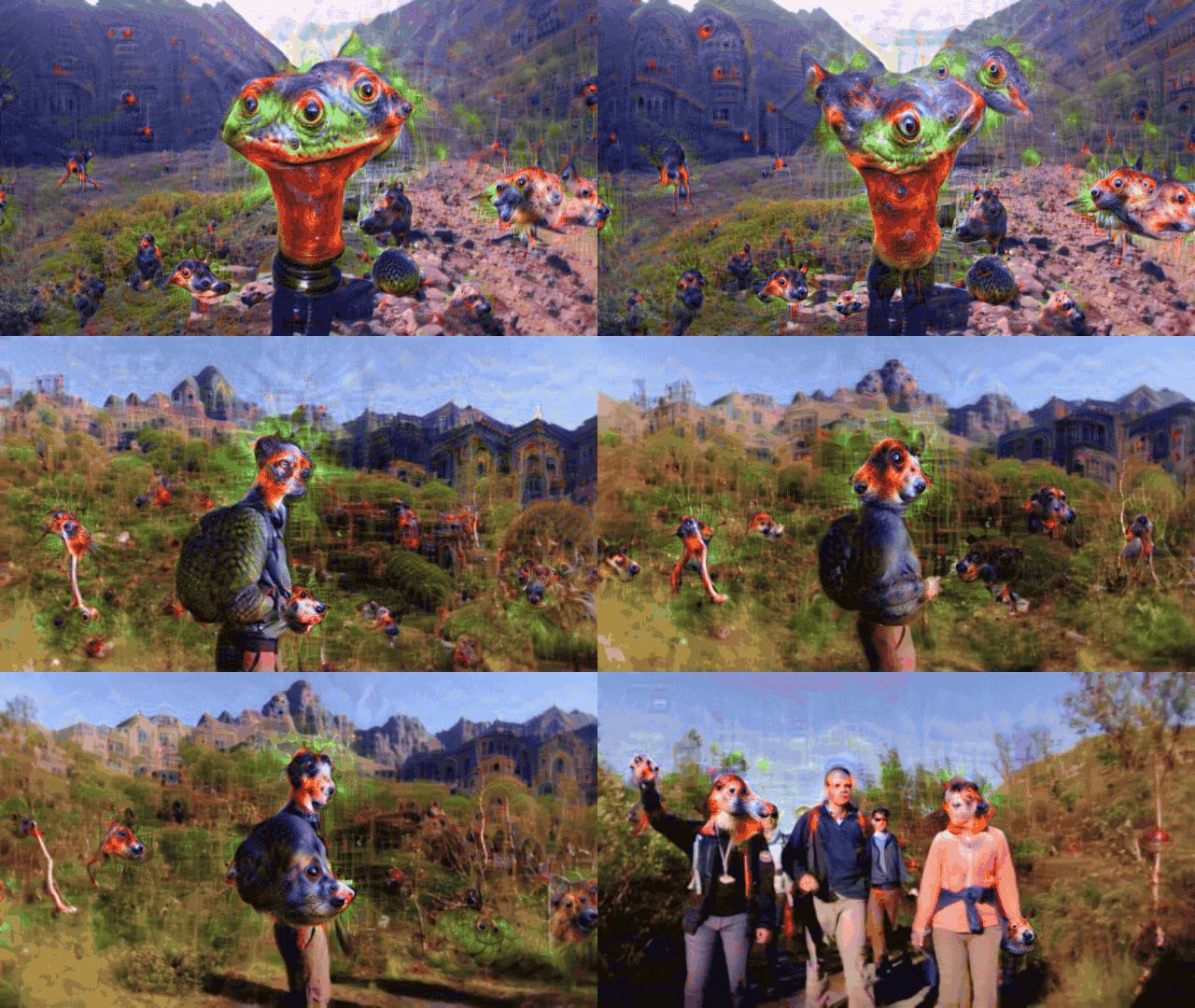
The live dream. The person becomes an animal and the clothes fill with eyes. About 13 fps at width 700. This is the VGG16 default. |
| VGG16 | 3 relu4_3 |
The same direction, stronger. After a few seconds of Temporal Blend the person is gone. About 11 fps. |
| GoogLeNet | 0–3, including 1 inception4c |
The photograph stays, covered in colored grain: green, magenta, cyan. A wider Process Width, more iterations, or more pyramid levels makes that grain denser. It does not turn into animals or arches. About 11 fps at width 600. |
| VGG16 Experimental | 1 relu4_1 |
Eyes grow on the face and replace it. About 19 fps at width 570. This is the Experimental default. |
| VGG16 Experimental | 2 relu4_2 |
A field of eyes, with random green and magenta on top of them. |
The stills in a Google image search are a different recipe: Inception v3 and many small steps. One still of that recipe took about 8 seconds. It does not fit in a live frame, so it is not in this component. Even that still kept scattered green and magenta. The live dream that actually draws figures is VGG16 from layer 2 up, and VGG16 Experimental. The subject disappears. GoogLeNet live stays a grain filter.
On the same GPU, a lighter cook (4 iterations, 2 pyramid levels, Process Width
800) measured about 15 fps at VGG16 relu3_3, 13 fps at relu4_3, 13 fps at
VGG16 Experimental relu4_2, 12 fps at mp5, 27 fps at GoogLeNet
inception3b, and 20 fps at inception4e. Seven iterations and 4 pyramid
levels at Experimental relu4_2 was about 7 fps. Iterations and pyramid levels
are the look; they are not reduced to buy speed.
How to use it
Keep the person in the picture. VGG16, layer 1. Learning Rate 0.06–0.09,
Intensity about 1.2, Iterations 4, Pyramid 4–6, Process Width 500–700.
Temporal Blend 0.3–0.5. If the face starts to melt, lower Temporal Blend
or pulse Reset Feedback.
Animals, eyes, swirls. VGG16 layer 2 or 3, or VGG16 Experimental layer 1.
Width 550–700, Iterations 4, Pyramid 5–6, Learning Rate 0.06–0.14,
Intensity about 1.2. Temporal Blend near 0.5 builds the dream across
frames. At about six seconds a face can be fully an animal. Pulse Reset
Feedback to clear it.
Feedback at 0 dreams the current picture every frame. Temporal Blend only
mixes dreams that are already finished, after the previous one has been moved
to follow the picture. Raising Feedback sends the previous dream back into the
network, and the effect runs away faster. A visible tunnel is Zoom 0.01,
Rotate 1, Feedback 0.4, Temporal Blend 0.25.
Process Width decides how many patterns fit, not how sharp one pattern is. The filters have a fixed size in pixels, so a wider canvas holds more eyes, not a larger copy of one eye. The output is always the video resolution. Fine detail from the video is put back on top of the upscaled dream.
Effect Contrast scales the dream against the video. 0 is the original
video. 1 is the dream as calculated. 1.2 is a little stronger. It does not
create figures. Saturation 1.2 makes the result more vivid, and it also
makes green and magenta specks louder.
Learning Rate 0.09 is the original DeepDream step. Intensity
multiplies that step. 0.14 with Intensity 1.4 is about twice the original
step. On VGG that pushes the animal. On GoogLeNet it pushes the grain.
Sync Frames on makes the project wait, so the movie and the dream stay together. Off keeps the project frame rate and lets the dream trail the video.
For a first cook, before any of the looks above: Process Width 256, one
pyramid level, two iterations, Intensity 1.0, Learning Rate 0.09. When
that cooks, move to the setting you want and raise Process Width.
Offline render
Offline Render is off by default. While it is off, its controls are not on the page. The live dream is the one described above.
Turn it on and Render Width, Steps, Octaves, Octave Scale, Step Size, Temporal, Look, Output File, and Render are added under the toggle. The live dream pauses and the video passes through, so the GPU is free. Turn it off and those controls leave the page.
Connect a Movie File In, then pulse Render. A terminal window opens and
prints what each setting does, with the values you chose. It then dreams one
preview frame and opens that picture. Type y and Enter to write the whole
movie, or Enter alone to stop and keep only the preview. The movie is an MP4
of the Movie File In: every frame, at the movie's own frame rate, so a 10
second input is a 10 second file. If Output File is empty, it is written
in a renders folder next to this TOX, and the preview is the same name with
_preview.png. When ffmpeg is available, the original audio is copied into
that MP4.
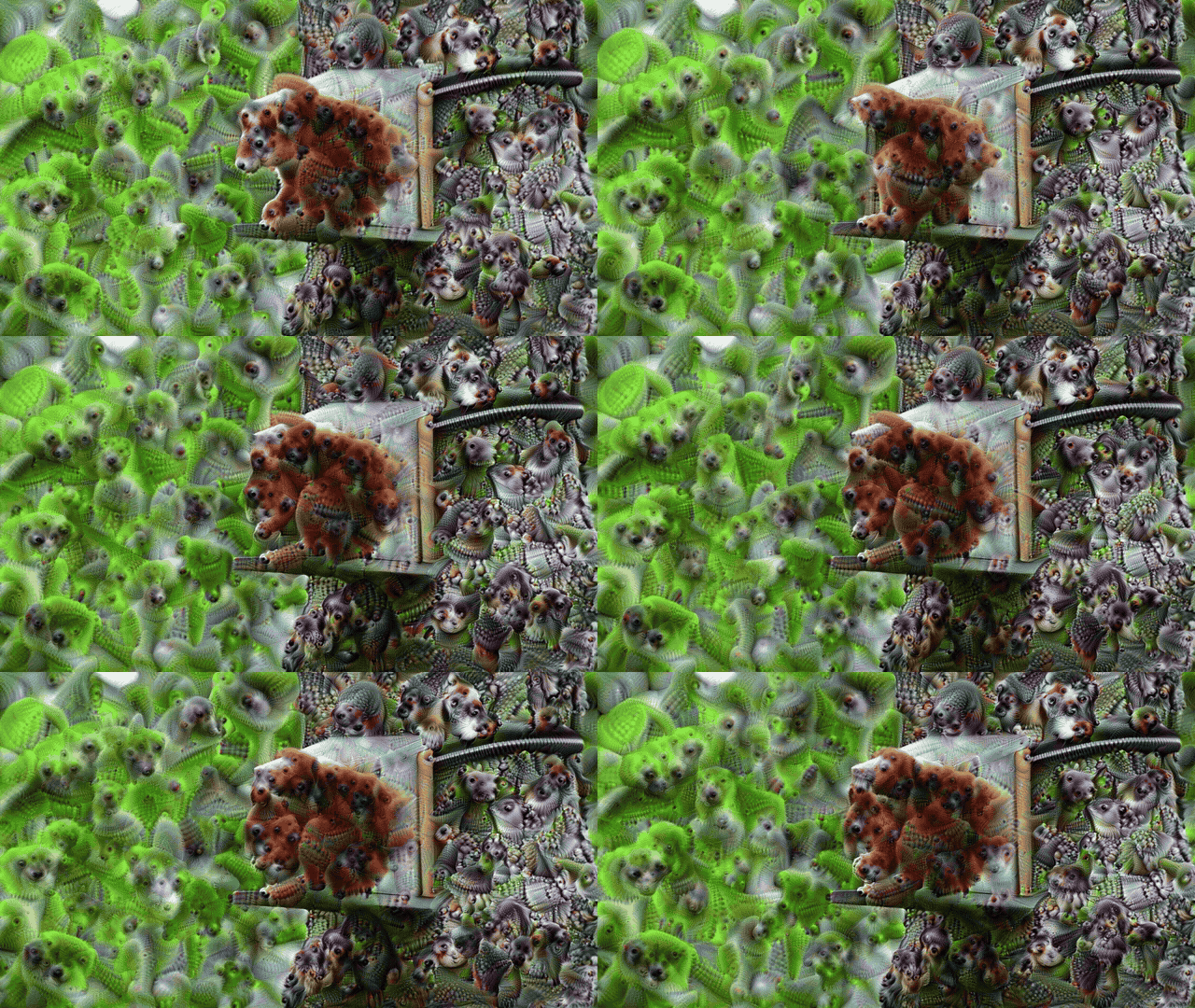
This render uses Inception v3 and the published DeepDream still recipe. It does not use the live model. Each frame takes about a minute at the default settings, so a clip takes one minute times its frame count. The window prints how long is left. Raise Steps toward 50 or 100 and the figures cover the picture. A mask on the second input is kept.
| Control | What it does |
|---|---|
| Offline Render | Off is live, and these controls are absent. On adds them and pauses the live dream. |
| Render Width | Width Inception sees. The height follows the video. Slider 256 to 2048. Default 960. Higher keeps more detail and takes longer. |
| Steps | Ascent steps on every octave. Slider 8 to 200. Default 20 keeps the photo and grows figures in it. 50 to 100 covers the photo. |
| Octaves | How many sizes are dreamed, from small shapes up to Render Width. Slider 2 to 8. Default 4. More octaves add larger structures. |
| Octave Scale | How much larger each octave is than the one before it. Slider 1.15 to 1.6. Default 1.3, the published still recipe. Higher makes the figures larger. |
| Step Size | How far each step moves after the gradient is normalized. Slider 0.004 to 0.03. Default 0.01. Higher is stronger and can speckle. |
| Temporal | How much of the previous dream is kept, after it is moved with the picture. Slider 0 to 1. Default 0.65. 0 dreams each frame alone, so the figures flicker. 1 holds them wherever the picture matches. A cut starts a new dream. The preview is one frame, so this shows up only in the movie. |
| Look | Classic grows the published figures in the picture. Deep grows smaller, denser figures. Fine follows larger shapes already in the picture. |
| Output File | MP4 path. Empty saves next to the TOX. The length matches the Movie File In. The preview is the same name with _preview.png. |
| Render | Opens the terminal, explains the settings, shows one preview frame, and asks before writing the MP4. |
Parameters
Setup
| Parameter | What it does |
|---|---|
| Status | The next step, then the latest message from the component. |
| Install Environment | Installs the Python environment once, next to this TOX. Other projects that use the same file skip this. |
| Check Dependencies | Confirms that venv_td matches TouchDesigner's Python and can see CUDA. |
| Active | Off passes the video through. On runs the dream. |
| Enable Stats CHOP | Turns the stats CHOP on. |
| Device | CUDA (GPU) or CPU. CPU is much slower. |
| Mask Channel | Read the mask from alpha, or from the luminance of an RGB mask. |
Dream
| Parameter | What it does |
|---|---|
| Model | VGG16, GoogLeNet, or VGG16 Experimental. Changing it applies that model's default layer, iterations, and pyramid. |
| Layer Index | Which layer to amplify. Slider 0 to 7. See the table above. |
| Process Width | Width of the image the network actually sees. Slider 64 to 2048. The picture you see is still the video resolution. Start around 256, then move toward 512 or higher. |
| Learning Rate | Size of each ascent step. Slider 0.01 to 0.25. Large values move fast and can clip. A practical start is 0.09. |
| Intensity | Scales the gradient after it is normalized. Slider 0 to 3. 1.0 is a neutral start. |
| Iterations | Ascent steps at each pyramid level. Slider 1 to 20. More steps means a stronger dream and a nearly linear cost. |
| Pyramid Levels | How many scales are dreamed, from small to Process Width. Slider 1 to 8. More levels grow larger structures. |
| Temporal Blend | Mixes each new dream with the previous one, from 0 to 1, after the previous dream is moved to follow the picture. Higher values flicker less. Moving areas and cuts keep the new dream, so the picture does not ghost. With Sync Frames off, the effect also eases onto newer video frames between GPU updates. |
| Feedback | Feeds part of the previous dream back into the next input (0 to 0.95). This is the trip / infinite-tunnel amount. |
| Feedback Zoom | Zooms the feedback image before it is reused. Try 0.01 with some Feedback. |
| Feedback Rotate | Rotates the feedback image in degrees. Try 1 with some Feedback. |
| Saturation | Color strength of the result. Slider 0 to 3. 1.2 is slightly vivid. |
| Effect Contrast | Strength of the dream against the picture, applied at the video resolution. Slider 0 to 3. 1.2 is the start. 1 is the dream as calculated. 0 is the original video. Process Width does not have to go up for the effect to read more clearly. |
| Reset Feedback | Clears the temporal image. |
| Sync Frames | On by default. Realtime stays as you set it. A movie playing on its own clock steps one project frame per dream. Off puts that movie back on its own clock. |
A visible feedback starting point: Zoom 0.01, Rotate 1, Feedback 0.4,
Temporal Blend 0.25, with Sync Frames off so the project keeps running.
For a first cook, use Process Width 256, one pyramid level, two iterations,
Intensity 1.0, and Learning Rate 0.09. When that is stable, move to the
look in How to use it and raise Process Width.
If something fails
- Status asks you to drag the TOX: the component in the project is a copy.
Delete it and drag
DeepDreamDiffusion.toxfrom this folder. - The environment is missing: pulse Install Environment on Setup. One install is enough for every project that uses this file.
CUDA=False: Device must be CUDA, andnvidia-smimust see the GPU. The environment cannot replace a missing driver.- An import error after reinstalling: quit TouchDesigner completely and reopen it. A running process keeps the old native libraries loaded.
- The dream is slow: lower Process Width first. Iterations and Pyramid Levels are the look; they cost real GPU time.
- After replacing this folder with a newer copy, quit TouchDesigner and reopen it so the GPU process loads the new Python files.